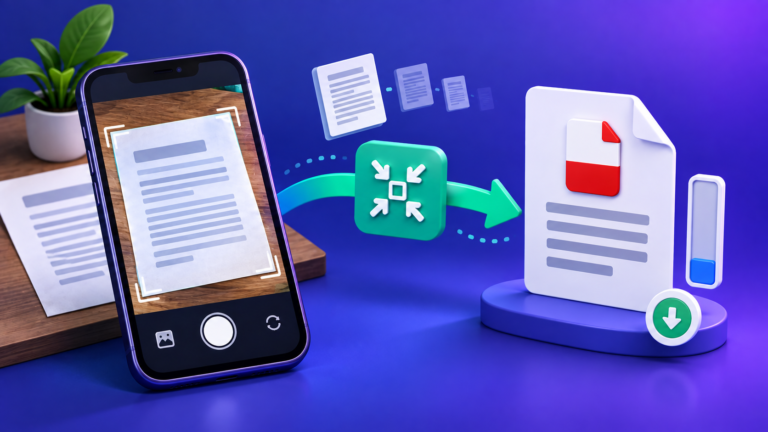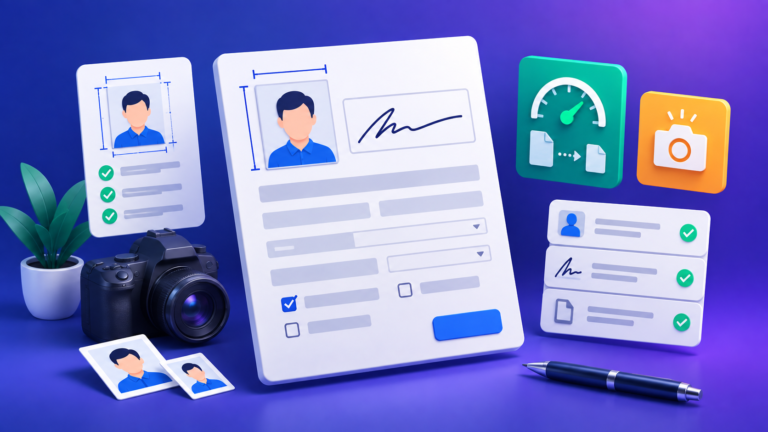
Almost every tool a student reaches for gets reached for at the worst possible moment: the file is 4 MB and the portal wants 2, the word count says 2,180 and the limit is 2,000, the form wants a photo “3.5 × 4.5 cm, 20–50 KB” and you have a selfie. At that point people search for a tool, click the first result, and hope.
This guide is written for the other moment — the calm one, before the deadline. It covers the handful of jobs that actually come up in a degree, the numbers behind each one, and, just as importantly, what each kind of tool cannot do. That last part is usually missing, and it is where marks get lost.
If you only want the tools: they are grouped by task on the Student Tools hub. This page explains the thinking behind choosing between them.

1Start from the requirement, not the tool
The single biggest time-waster is picking a tool before reading the requirement properly. Three questions settle almost every choice:
- What exactly does the destination accept? Not “a PDF” — a PDF of what maximum size, how many pages, what filename pattern, and does it need to be one file or several? The answer is nearly always written in the portal or the module handbook, and it is nearly always more specific than people remember.
- Does it need to stay editable? A PDF is a photograph of a finished document. If your supervisor will comment on it, or you will revise it, keep the editable original and export a PDF at the end — not the other way round.
- Is anything in it sensitive? Unpublished research, someone else’s personal data, medical or financial details, an ID document. If yes, that rules out any tool that uploads your file to a server you know nothing about. More on how to tell in section 13.
Answer those three and the tool is usually obvious. Skip them and you can spend twenty minutes converting a file into a format nobody asked for.
2Marks, percentage, CGPA and GPA: what converts, and what doesn’t
This is the area where students are most often given confident, wrong answers — usually a single formula presented as if it were national law.
There is no universal CGPA-to-percentage formula. There are several, each belonging to a specific institution:
| Rule | Formula | Where it belongs |
|---|---|---|
| CBSE-style | CGPA × 9.5 | The Central Board of Secondary Education’s own grading scheme, widely borrowed elsewhere |
| VTU | (CGPA − 0.75) × 10 | Visvesvaraya Technological University |
| Straight scale | CGPA × 10 | Anna University and many others using a 10-point scale |
| Custom multiplier | CGPA × n | Whatever your own university publishes |
The 9.5 is not a magic constant. It comes from CBSE’s own analysis of how its grade points mapped to marks across its candidates. Applying it to a different university’s 10-point scale is a guess — sometimes a close one, sometimes not.
When a form asks for a percentage, the authority is your own institution. If it publishes a conversion rule or issues a conversion certificate, use that number and nothing else. A calculator is for planning and for checking — it is not a substitute for the figure on your transcript.
The CGPA to Percentage Converter supports all four rules above and tells you which one it used, precisely so you can compare it with what your university states. For the reasoning in more depth, see CGPA to Percentage: which formula does your university use?

GPA and CGPA are not the same measurement
GPA is normally one term or semester. CGPA is cumulative across terms, weighted by the credit value of each course — which is why a 4-credit course moves your CGPA roughly twice as much as a 2-credit one. The GPA Calculator does that credit weighting for you and shows the grade points per course, so you can see which module is actually carrying your average.
Credit-based grading in Indian higher education is set out in the UGC’s Choice Based Credit System guidelines, which is the document your university’s own scheme is usually derived from.
Do not convert your percentage to a US 4.0 GPA yourself
This one causes real problems. Applicants compute a 4.0-scale GPA from an Indian percentage using a formula found online, put it on an application, and it then contradicts the official evaluation. Credential evaluators such as WES use their own grade-by-grade tables and the specifics of your institution. If an application requires an evaluated GPA, the evaluator’s number is the one that counts — anything you calculate is, at best, a private estimate.
For everyday arithmetic — “what do I need in the final to reach 70?” — the Final Grade Calculator and the Marks Percentage Calculator are the right tools, and both are exact because they are only doing weighted arithmetic on numbers you supply.
3Word counts: why yours and the portal’s disagree
Two counts of the same document routinely differ by a few hundred words. Neither is broken; they are counting different things.
- What counts as a word. Most counters split on whitespace, so state-of-the-art is one word and 21st is one word. A number, a citation marker and a stray bullet each count as one too.
- What is included. The big variable. Departments commonly exclude the reference list, appendices, tables, footnotes and the title page — but that is a departmental rule, not a software setting, and your word processor will happily include all of them.
- Where you counted. Pasting into a web box strips footnotes and captions; counting in the document includes them.
The practical approach: find the rule in your handbook, count the body text only, and leave yourself a margin of a few per cent rather than landing on exactly 2,000. The Word Counter gives words and characters for whatever you paste, which is the useful measure when the limit applies to the body alone.
If the limit is expressed in pages rather than words, the usual convention — 12 pt, double-spaced, 1-inch margins — works out at roughly 250 words per page, or about 500 single-spaced. That is an estimate, not a guarantee: headings, figures and reference formatting all move it. How many words per page? works through the variations.
4Why the upload fails: four causes, in order of likelihood
An upload that will not go through is almost always one of four things.
- The file is too large. By far the most common. See the next section — it is nearly always images, not text.
- The format is not what it claims. Renaming
essay.docxtoessay.pdfdoes not make it a PDF; the portal reads the file’s contents, not its extension. Export properly with Word to PDF. - The filename. Some older systems still reject spaces, apostrophes,
&, or non-Latin characters.Priya-Sharma-Assignment-2.pdfis safe everywhere;Priya’s essay (final) & refs.pdfis not. - It wants one file and you have several. Cover sheet, report and appendix as three PDFs, one upload slot. Merge PDF Files joins them in the order you set; Organize PDF Pages fixes the order afterwards if a scan came out reversed.
Always open the file you are about to submit. Not the original — the exact file, from the folder you will upload it from. It takes fifteen seconds and it catches the compressed-to-illegibility, exported-the-wrong-version and merged-in-the-wrong-order mistakes all at once.
5PDF size: what compression actually removes
To shrink a PDF sensibly you need to know which of two kinds you have, because they behave completely differently.
A text-based PDF
- Exported from Word, LaTeX, Google Docs
- You can select and copy the text
- Text is stored as characters plus a font — tiny
- Twenty pages often under 1 MB already
- Compression has little left to remove
A scanned PDF
- Photographed or scanned pages
- You cannot select any text
- Every page is a full photograph
- Ten colour pages at 300 DPI can exceed 25 MB
- Compression works here — this is the whole file
So if your PDF is unexpectedly huge, it contains images. Compression re-encodes those page images at a lower resolution and quality; it cannot meaningfully shrink text because text was never the problem.
Two things follow. First, converting a scan to grayscale is usually the single biggest saving — you drop two of the three colour channels and lose almost nothing on a black-ink document. Second, there is a floor: below roughly 100–150 DPI, small print and subscripts stop being reliably readable. The PDF Compressor holds a minimum resolution rather than crushing a file to hit a number, which is the behaviour you want when the file is going to be marked.
If you need a specific target, Compress PDF to 100 KB walks through the trade-offs, including when 100 KB simply is not achievable without making the document useless.
6Photos and signatures: pixels, DPI and kilobytes are three different things
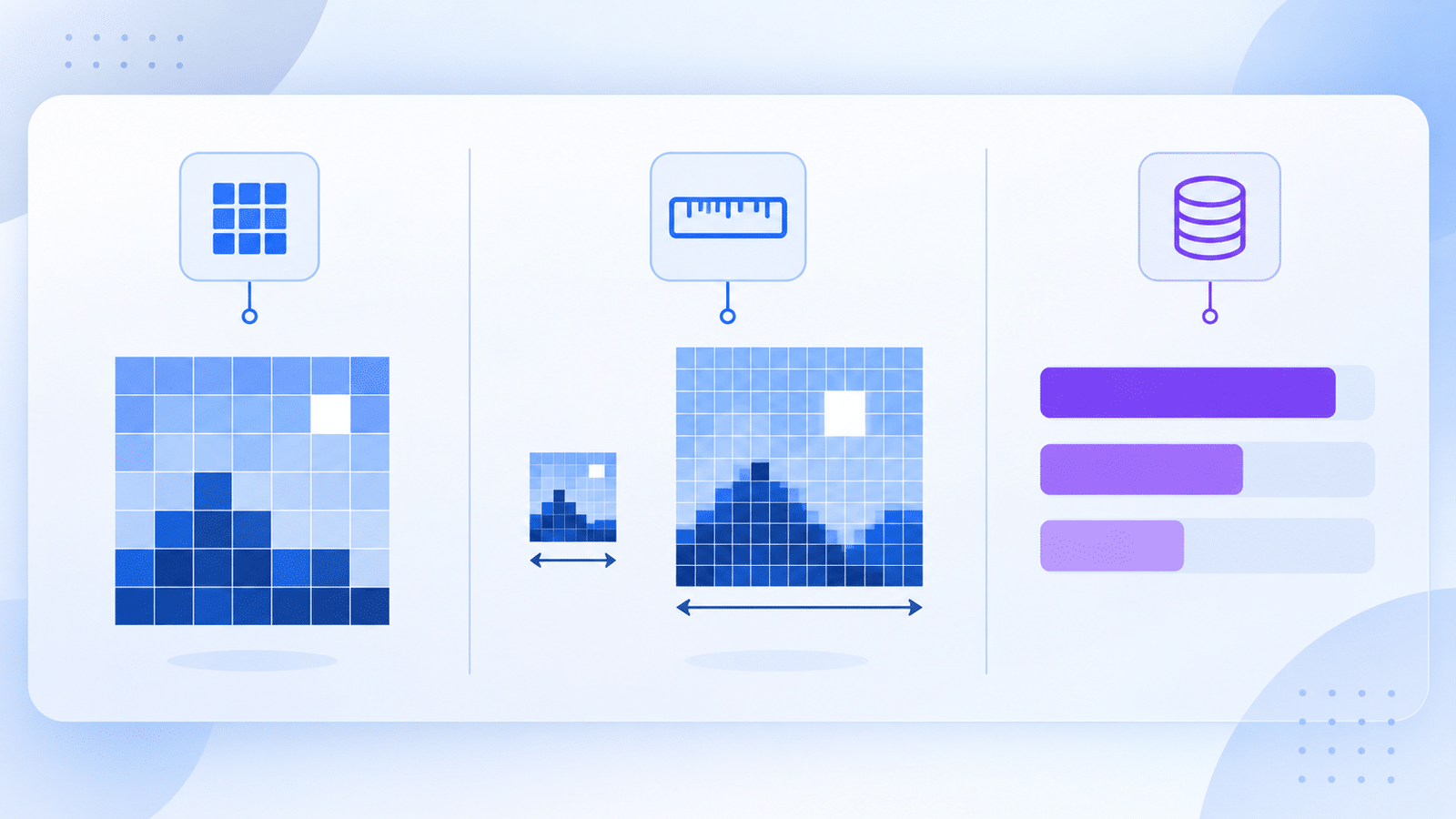
Exam and application forms ask for all three at once — “3.5 × 4.5 cm, 300 DPI, 20–50 KB, JPEG” — and they are routinely confused. Getting this straight solves most rejected photo uploads.
| Property | What it actually is | What changing it does |
|---|---|---|
| Pixels | The real amount of picture data, e.g. 413 × 531 | The only thing that changes actual detail |
| DPI / PPI | A note stored in the file saying how large to print it | Changes print size. Changes no pixels and almost no file size |
| Kilobytes | How much space the compressed data occupies | Controlled by pixel count plus JPEG quality |
The arithmetic that connects them is simple. Physical size in inches × DPI = pixels. So 3.5 × 4.5 cm is 1.38 × 1.77 inches, and at 300 DPI that is 413 × 531 pixels. That is the number to aim for.
The classic mistake: taking a 200 × 250 px image, setting its DPI tag to 300, and assuming it is now print-ready. It is not. There are still only 200 × 250 pixels; you have only changed a label. Detail that was never captured cannot be added by relabelling.
In practice: use Image Resizer to hit the pixel dimensions, Image Compressor to bring the kilobytes into the stated band, and Reduce Image DPI only when a form explicitly checks the DPI tag. For a full ID photo, Passport Size Photo Maker lays it out at standard print sizes. If the form rejects your phone photo outright before you get that far, it is probably an iPhone HEIC file — HEIC to JPG fixes that in one step.
The step-by-step version, with the exact numbers most Indian exam portals ask for, is in Resize your photo and signature for online exam forms.
7Turning notes into text: what OCR gets right, and where it quietly fails
Optical character recognition converts a picture of text into characters. It is genuinely useful — a photographed whiteboard becomes searchable notes in seconds. It is also a pattern-matching estimate, not reading, and it fails in ways that are easy to miss.
Reliable on
- Clean printed text
- Straight, evenly lit pages
- Good contrast, ordinary fonts
- Single-column layouts
Unreliable on
- Handwriting of any kind
- Photos taken at an angle, or in shadow
- Tables and multi-column pages — the reading order scrambles
- Formulas, subscripts, and symbols
- 0 versus O, 1 versus l, 5 versus S
Always read OCR output against the original, especially numbers. A misread digit in a dataset or a citation year does not look like an error — it looks like a number. This is the one place where “it looked fine” is genuinely dangerous.
Image to Text runs recognition in your browser; PDF to Text is different and better where it applies — it extracts the real text layer from a digital PDF rather than guessing at pixels, so it is exact when the PDF has one. If you can select text in the PDF, use PDF to Text. If you cannot, you need OCR and its caveats. How to extract text from an image covers getting the best out of a difficult source.
8Coursework in code: four utilities worth keeping open
For a computer science, IT or engineering module, most of the time lost to tooling goes on four recurring jobs.
- JSON Formatter and Validator — when an API response will not parse, the validator names the character position of the fault. That is usually a trailing comma or a smart quote pasted from a document.
- Number Base Converter — binary, octal, decimal and hex, for digital logic, computer organisation and networking coursework.
- Regex Tester — write the pattern against real sample text and watch the matches change. Far faster than re-running a program to find out.
- Base64 Encoder / Decoder — useful for embedding and for debugging tokens.
Base64 is encoding, not encryption. Anyone can decode it instantly — it exists to move binary data safely through text channels, not to hide anything. The same distinction matters for hashing: Hash Generator produces MD5 and SHA digests, and while MD5 is long broken for security purposes it is still perfectly serviceable for checking that a file downloaded intact.
9How long will it take to read — or to say out loud?
Two different questions with two different answers, and mixing them up is why presentations overrun.
A large meta-analysis of reading-rate studies puts silent reading of English non-fiction at roughly 238 words per minute, and reading aloud at about 183 words per minute. Presenting is slower still than reading aloud, because you pause, look up, and respond to the room — 130–150 words per minute is a comfortable delivery pace.
Which means a ten-minute presentation is somewhere around 1,300–1,500 spoken words. Most people write far more than that and then rush. Words to Minutes converts between the two at a pace you set, so you can cut before the rehearsal rather than during it.
For the written side, Readability Checker scores a draft with Flesch Reading Ease, Flesch–Kincaid Grade Level and Gunning Fog. Treat these as a prompt to re-read a dense paragraph, not a target to optimise — academic writing is legitimately harder to read than a news article, and a low score is not automatically a fault.
10Timers: what they can and cannot do for you
The Pomodoro Technique — a focused block, then a short break, with a longer break after several rounds — is the best known study timer method, and a Pomodoro Timer is genuinely useful. It is worth being straight about why.
The evidence for the specific 25-and-5 split being optimal is thin. What the method reliably does is make starting easier, because you are committing to twenty-five minutes rather than to an essay, and it forces breaks that you would otherwise skip. That is a real benefit and it does not require the numbers to be magic. Adjust the intervals to whatever holds your attention.
For timed practice — a mock exam, a rehearsed answer, a lab step — a plain Countdown Timer is the better instrument. And if a course or an application involves a typing test, Typing Speed Test measures words per minute and accuracy over 15 seconds, 30 seconds or a minute; what counts as a good WPM puts the number in context.
11Applications: the file rules nobody tells you
Internship and placement portals are stricter than coursework systems, and they rarely explain why a file was rejected.
- Send PDF unless asked for something else. A .docx re-flows on someone else’s machine; fonts substitute, page breaks move, and a one-page resume becomes two.
- Name the file properly.
Firstname-Lastname-Resume.pdf. A recruiter with three hundred files namedresume-final-2.pdfwill not go looking for yours. - Keep it small. One to two megabytes is comfortable everywhere. A resume has no business being larger unless you have embedded images.
One caveat worth knowing about any browser-based document exporter, including ours. Some tools produce a PDF by rendering the page as an image. The layout is preserved perfectly, but the result has no selectable text — and applicant tracking systems that parse resumes read the text layer. Our Word to PDF works this way, and its page says so. If a job application specifically warns that it parses your resume, export the PDF from your word processor instead, then check you can select the text in the finished file.
The Resume Generator and Cover Letter Generator take your details through a form, lay them out in a template and export a PDF — useful when the blank page is the hard part.
12The ten-minute check before you hit submit
Run this on the actual file, in the folder you will upload from.
- Open it. The real file, not the original. Every page, quickly.
- Check it is the right version. The number of submissions that are the second-to-last draft is not small.
- Check the size against the stated limit — and that small print is still legible if you compressed it.
- Check the page order and orientation, especially if anything was scanned. Rotate PDF and Organize PDF Pages fix both.
- Check the word count against the rule you actually have to meet, body text only.
- Check the filename for spaces and special characters, and that it identifies you.
- Submit with time in hand. Portals slow down near a deadline because everyone else is doing this too.
13What “runs in your browser” actually means
Online tools work in one of two ways, and the difference matters for anything sensitive.
In-browser tools load code into the page and do the work on your own device. The file never leaves your machine, so there is nothing to store, leak or delete. A practical test: once the page has loaded, disconnect from the internet. If the tool still works, it is doing the work locally.
Server-side tools upload your file, process it elsewhere, and send back a result. That is not automatically wrong — some operations genuinely need it — but it means your file existed on someone else’s computer, and you are trusting a retention policy you have probably not read.
Privacy depends on the tool, not the site. Most AMTake tools — including the compressor, the image tools, the OCR and every calculator on this page — run in your browser. A small number of features need server-side processing, and each tool’s own page says which applies to it. Check the individual tool before using it with unpublished research, personal identification, or anything that is not yours to share. Our privacy policy covers the site as a whole.
14Frequently asked questions
Which CGPA to percentage formula should I use?
The one your own university publishes. CBSE-style CGPA × 9.5, VTU’s (CGPA − 0.75) × 10 and a straight CGPA × 10 are all in use, and they give materially different answers. If your institution issues a conversion certificate, that figure is the authoritative one for any form or application.
Why is my scanned PDF so much bigger than my typed one?
Because a scan stores every page as a full photograph, while a typed PDF stores characters and a font reference. Ten scanned colour pages at 300 DPI can exceed 25 MB; the same ten pages typed are often under 1 MB. That is also why compression helps enormously on scans and barely at all on text.
My photo is the right pixel size but the form still says it is too large. Why?
Pixel dimensions and file size are different properties. A 413 × 531 photo saved at maximum JPEG quality can still be several hundred kilobytes. Keep the dimensions and lower the JPEG quality until the file lands inside the stated kilobyte range.
Can I trust OCR output for a dataset or a citation?
Not without checking it. OCR is pattern recognition and it confuses 0 with O, 1 with l and 5 with S, particularly on photographs. For anything where a wrong digit changes the meaning, read the output against the original.
Should I submit assignments as PDF or Word?
Follow the module handbook — some courses require .docx so markers can leave tracked comments. Where you have a free choice, PDF is safer because the layout cannot re-flow on the marker’s machine.
Are these tools allowed for university work?
Formatting, converting, calculating and counting are ordinary utilities, in the same category as a calculator or a word processor. What you may submit is governed by your institution’s academic integrity rules, so check those before relying on any tool for assessed work — particularly anything that generates text on your behalf.
Do I need to create an account?
No. Every tool linked from this guide is free to use with no sign-up, no trial and no paywalled result.
How do I know whether a tool uploads my file?
Load the page, then disconnect from the internet and try it. If it still works, the processing is happening on your device. Each AMTake tool page also states which applies to it.
- Central Board of Secondary Education — cbse.gov.in, and CBSE Academic, for the grading scheme the × 9.5 rule belongs to.
- University Grants Commission — Guidelines for the Choice Based Credit System (PDF), the credit and grading framework most Indian university schemes derive from.
- Visvesvaraya Technological University — vtu.ac.in; Anna University — annauniv.edu, for their own conversion rules.
- World Education Services — wes.org, on how international credentials are evaluated rather than self-converted.
- Brysbaert, M. — How many words do we read per minute? A review and meta-analysis of reading rate, the source of the 238 and 183 words-per-minute figures.
- Tesseract OCR — the open-source engine behind most browser-based text recognition.
- MDN Web Docs — Web Speech API, the browser feature dictation tools rely on, and why availability varies by browser.