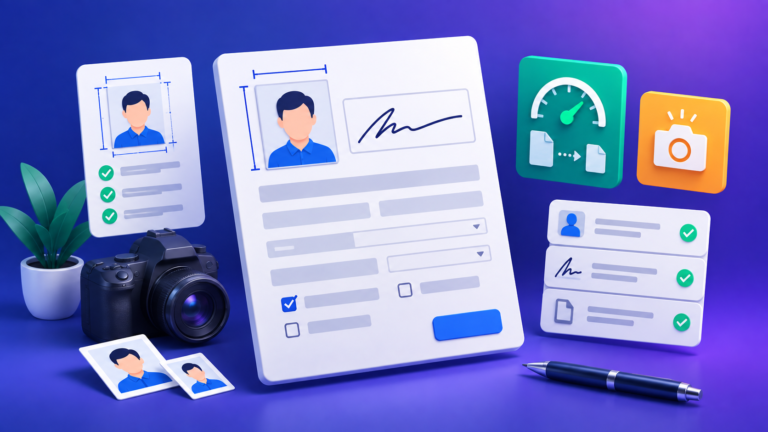
💡 Tip: the measurement that gets photos rejected is head height — the distance from the top of the head to the chin. Put the round marker on the crown, the square marker on the chin, and press Fit to spec; the tool sizes the head to the middle of your country’s published range and tells you the figure in millimetres.
🧭 User Guide
- Add your photo. Drop it on the upload area or click to choose one. It is read straight into a canvas in your browser and never uploaded.
- Pick the country or document. Each preset carries its own frame size and its own head-height range, so the guides change when you change the country.
- Place the two markers. Round one on the top of the head, square one on the chin. This is what makes the measurement real rather than a guess.
- Press Fit to spec. The photo is scaled and positioned so the head lands mid-range, centred, with room for the shoulders.
- Straighten if needed using the rotation slider — a tilted head is a common rejection reason, and no blank edge can appear however far you turn it.
- Set the resolution and any file-size limit, then download, or print several copies at once on a 4 × 6, A4 or Letter sheet.
📏 Head height by country
These are the published ranges the tool checks against.
| Country or standard | Photo size | Head height |
|---|---|---|
| United Kingdom — passport | 35 × 45 mm | 29–34 mm |
| United States — passport / visa | 51 × 51 mm (2 × 2 in) | 25–35 mm |
| Canada — passport | 50 × 70 mm | 31–36 mm |
| Schengen / EU — visa and ID | 35 × 45 mm | 32–36 mm |
| Australia — passport | 35 × 45 mm | 32–36 mm |
| Japan — passport | 35 × 45 mm | 32–36 mm |
| India — passport (rules of 1 Sep 2025) | 35 × 45 mm | 36–38 mm |
| China — visa | 33 × 48 mm | 28–33 mm |
| ICAO standard — generic | 35 × 45 mm | 31.5–36 mm |
Some authorities state the range in millimetres (the UK, Canada, Australia); some state it in inches (the United States, 1 to 1⅜ in); and some express it as a share of the frame, which is where the 70–80% figure in the ICAO standard comes from. The tool shows which basis applies to the preset you have chosen, together with the issuing body. Requirements change, and only the issuing authority is authoritative — check its own page before you print or upload.
India changed on 1 September 2025 and is now the strictest on this list. The old 51 × 51 mm square format was retired in favour of 35 × 45 mm, and face coverage tightened from 70–80% to 80–85% — that is 36–38 mm of head on a 45 mm photo. A photo built to the previous rule now fails. Passport Seva also takes the upload at an exact pixel size, 630 × 810 px, which is 35 × 45 mm at roughly 457 DPI and therefore not what any of the usual 200, 300 or 600 DPI settings produce. Choose the India preset and the tool selects that pixel size for you.
📸 Four things that decide whether a photo is accepted
Head height
The measurement most often failed, and the one this tool exists to get right.
Too small and the face cannot be matched; too large and the crown or chin is cut off. The acceptable window is often only five millimetres wide, which is why guessing from an on-screen oval does not work.
Position in the frame
Centred left to right, with the head slightly above the middle.
The United States also fixes where the eyes must sit — between 28 and 35 mm up from the bottom edge — so when you choose that preset a second shaded band appears showing exactly where the eye line has to fall.
Background
Plain, light and even, with no shadow behind the head.
This tool does not change backgrounds and does not pretend to. Use the Background Remover first if yours is busy, then come back and crop — that order works better than trying to fix it afterwards.
The file itself
Government portals cap uploads, often at 20 KB or 50 KB.
Choose a limit and the JPEG quality is stepped down until the file fits, with the achieved size reported. If it cannot be reached at your chosen resolution the tool says so rather than quietly handing you a file that will be refused.
About the Passport Size Photo Maker
Passport rules are written in millimetres, upload forms ask for pixels and kilobytes, and printers think in inches. This tool holds all three at once: choose a country, and it converts between them and tells you whether what you have actually meets the specification.
Why the head is measured rather than assumed
Because a fixed on-screen oval cannot be right for more than one country at a time.
Head height is specified per country in millimetres, and the ranges genuinely differ: 29–34 mm for a British passport, 31–36 mm for a Canadian one on a much taller photo, 25–35 mm for the United States on a square one. A single guide drawn at the same proportion of every frame will be right for one of those and wrong for the rest.
So instead of drawing a shape and hoping, the tool asks you to mark two points you can see perfectly well — the top of the head and the chin — and measures the distance between them, converting to millimetres through the frame size you selected. You get a number and a verdict, not an impression.
There is no face detection here
Deliberately, and it is worth saying plainly.
Automatic face detection in a browser is unreliable on exactly the photographs people bring to a tool like this: poor light, glasses, head coverings, an infant held by a parent. A confident automatic measurement that is wrong is worse than no measurement, because you would act on it. Two markers you place yourself take about five seconds and are correct by construction.
Sizes, resolution and printing
Ten presets, a custom size, and three sheet layouts.
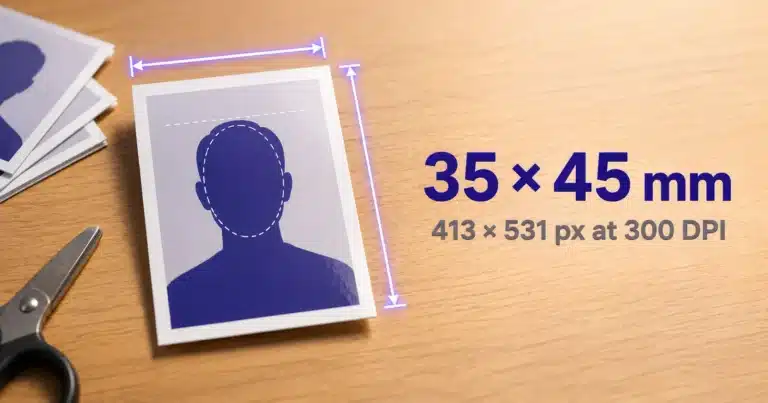
Output resolution can be 200, 300 or 600 DPI, and the exact pixel dimensions are shown as you change it — 35 × 45 mm is 413 × 531 pixels at 300 DPI, or 827 × 1063 at 600. The print sheet tiles your finished photo with light cut lines: six copies on a 4 × 6 inch print, thirty on A4, twenty-five on US Letter, all at 300 DPI.
What this tool does not do
It crops, straightens, resizes, measures and compresses. That is the whole list.
It does not replace or whiten the background, and it does not judge expression, glasses, head coverings, lighting or shadow. Those are real requirements and a machine that claimed to check them would be misleading you. Read your authority’s guidance for those, and use this tool for the geometry and the file.
Private by design
Your photograph never leaves your device.
Every step — loading, cropping, rotating, measuring, compressing and building the print sheet — happens on a canvas inside your browser. Nothing is uploaded, nothing is stored, and the tool keeps working if you go offline after the page has loaded. An identity photograph is exactly the kind of file that should never be sent to someone else’s server.
Related tools
Two that pair with this one.
For a plain background, run the photo through the Background Remover first. If a portal rejects your file purely on size, the Image Compressor gives you finer control over the trade-off.
Frequently Asked Questions
What is the standard passport photo size?
35 × 45 mm covers most of the world.
It is used by the United Kingdom, India, the Schengen countries, Australia, Japan and many others. The United States is the main exception at 51 × 51 mm (2 × 2 inches), and Canada differs again at 50 × 70 mm.
How big should the head be in a passport photo?
It depends on the country, and the window is narrow.
The United Kingdom requires 29–34 mm from chin to crown, Canada 31–36 mm, the United States 25–35 mm, India 36–38 mm, and the ICAO standard expresses it as 70–80% of the frame height. Mark the crown and chin in the tool and it reports your figure in millimetres and whether it passes.
What are the new Indian passport photo rules?
Since 1 September 2025: 35 × 45 mm, head 36–38 mm, uploaded at 630 × 810 pixels.
The Ministry of External Affairs moved Passport Seva onto the ICAO standard, retiring the old 51 × 51 mm square photo. Face coverage went from 70–80% to 80–85% of the frame height, which is the tightest requirement of any country in the list above, and the upload must be a JPEG of 630 × 810 pixels on a plain white background. Select the India preset and the tool applies all three — the head range, the pixel size and a file-size limit — together.
Why does it say my head is too small?
Usually because the crown marker is on the forehead rather than the top of the head.
The round marker belongs at the very top of the skull, above the hair — not at the hairline, and not on the brow. The square marker goes on the point of the chin. Both are labelled on the photo. If they are placed correctly and the measurement is still short, press Fit to spec and the tool will scale the photo until the head reaches the required size.
Fit to spec cut off the top of my head. What went wrong?
The crown marker was below the real top of the head, so the tool scaled up too far.
If the marker sits on the forehead, the head measures shorter than it is; correcting that apparent shortfall zooms in until the actual crown is pushed outside the frame. A cut-off head is rejected however good the millimetre figure looks, so the tool cross-checks it. Starting from your crown marker it looks a short way up the head and finds where the picture stops being the subject and starts being whatever is beside the head at that height. It then warns you if the head reaches the edge of the frame, or tells you roughly how far below the true crown your marker is sitting. Move the round marker to the very top of the hair and fit again.
That check deliberately looks only just above the marker you placed, so nothing else in the picture — a lamp, a door frame, someone standing behind you — can be mistaken for your head, and it does not assume you have already cropped the photo. Where the background beside the head is too busy to read, the tool says the check could not be made rather than guessing at an answer.
What is 35 × 45 mm in pixels?
413 × 531 pixels at 300 DPI.
At 600 DPI it is 827 × 1063, and at 200 DPI it is 276 × 354. The tool displays the exact pixel size for whichever size and resolution you pick.
How do I make a passport photo under 20 KB?
Choose your size, set the file size to “Under 20 KB” and download.
The JPEG quality is stepped down until the file fits, and the size actually achieved is reported. If 20 KB is unreachable at 600 DPI, drop to 300 or 200 — and the tool will tell you when that is the problem rather than failing silently.
Can I print several passport photos on one page?
Yes, with cut lines, at 300 DPI.
Six copies fit a 4 × 6 inch print, about thirty fit A4 and twenty-five fit US Letter, for a 35 × 45 mm photo. Take the file to any photo printer.
Does it change the background to white?
No. It crops, straightens, resizes and measures — it does not touch the background.
Use the Background Remover first if you need a plain one, then return here to crop and size it.
Is my photo uploaded anywhere?
No, never.
Everything runs on a canvas in your browser, so your photograph stays on your device from start to finish.