About the GST Calculator
Updated for GST 2.0, in force from 22 September 2025. The old 12% and 28% slabs were abolished in that revision; if you are working from an older invoice or guide, the rate you remember may no longer apply.
This GST Calculator adds or removes Goods and Services Tax from any amount using the current GST 2.0 slabs — 5% merit, 18% standard and 40% on sin and luxury goods, plus 0% nil-rated and 3% on precious metals — and splits the tax into CGST and SGST for intra-state transactions, or shows it as IGST for inter-state supply. It is built for shopkeepers, freelancers, accountants, and anyone who needs a quick, accurate tax figure.
Which slab applies
| Rate | Category | Typical goods & services |
|---|---|---|
| 0% | Nil rated | Fresh food, milk, healthcare, education |
| 3% | Precious metals | Gold, silver, diamond jewellery |
| 5% | Merit rate | Essentials, packaged food, medicines, transport |
| 18% | Standard rate | Most goods and services, electronics, IT |
| 40% | Sin & luxury | Tobacco, pan masala, aerated drinks, luxury cars |
Classification follows the HSN/SAC code for your specific product or service, so check the current rate schedule rather than assuming from the category name.
Add GST vs Remove GST
- Add GST: start with a base price and add tax on top to get the final gross amount the customer pays. Use this when your listed price is exclusive of tax.
- Remove GST: start with a tax-inclusive price and work out how much of it is tax and what the base value was. Use this when you have a final price and need the pre-tax figure for accounting.
How GST is calculated
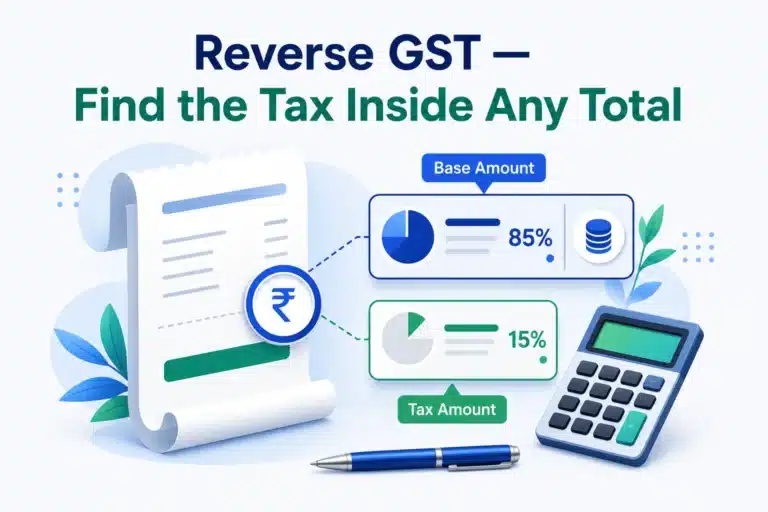
To add GST, multiply the amount by the rate and divide by one hundred, then add it to the base. To remove GST from an inclusive price, divide the price by one hundred plus the rate, then multiply by one hundred to recover the base; the difference is the tax. For intra-state sales the total GST splits equally into CGST (central) and SGST (state), each being half of the total tax shown here.
Add GST: Tax = Base × Rate ÷ 100 | Total = Base + Tax
Remove GST: Base = Inclusive × 100 ÷ (100 + Rate) | Tax = Inclusive − Base
Common uses
Businesses use it to price products correctly, prepare invoices, and reconcile tax-inclusive receipts. Buyers use it to understand how much tax sits inside a quoted price. Because the math is identical across all slabs, you simply pick the rate that applies to your goods or services.
Tips
Choose the slab that matches your product category, as different goods attract different rates. For inter-state supply the tax is IGST rather than split CGST/SGST, though the total is the same. To work out margins after tax, pair this with the Profit Margin Calculator, and for discounts the Discount Calculator. Everything runs in your browser, so your figures stay private.
Worked example
Adding GST: a ₹1,000 service at 18% → GST ₹180 (CGST ₹90 + SGST ₹90), invoice total ₹1,180. Removing GST: a ₹1,180 receipt at 18% → base ₹1,000, tax ₹180. Note the trap: you divide by 1.18 to remove GST — simply subtracting 18% from ₹1,180 gives a wrong ₹967.60.
Sources & further reading
- GST Council, Government of India — the authority that sets and revises rate slabs; its rate schedules are the definitive reference for which slab applies to a product or service.
- Income Tax Department, Government of India — for how GST interacts with your wider tax filings.
Rate slabs are revised by the GST Council from time to time and vary by HSN/SAC classification. Verify the slab for your specific goods or services against the current rate schedule, and consult a qualified tax professional before filing.
Frequently Asked Questions
How is GST added to an amount?
GST amount = (Original amount x GST rate) / 100. The net amount is the original plus the GST.
How do I remove GST from a GST-inclusive price?
Original = Inclusive amount x 100 / (100 + rate). The difference is the GST component.
What is the CGST and SGST split?
For intra-state sales, GST splits equally into CGST and SGST, each half of the total GST.
Which GST slabs does this support?
The GST 2.0 slabs in force since 22 September 2025: 0% nil-rated, 3% on precious metals, 5% merit rate, 18% standard rate and 40% on sin and luxury goods — plus a custom rate box. The old 12% and 28% slabs were abolished in that revision.
What happened to the 12% and 28% GST slabs?
They were removed under GST 2.0 on 22 September 2025. Most items that were taxed at 12% moved to 5%, most that were at 28% moved to 18%, and a new 40% rate was introduced for sin and luxury goods. Invoices dated before that change still show the old rates.
Does this show IGST for inter-state sales?
Yes. Intra-state sales split the total GST equally into CGST and SGST; inter-state supply is charged as a single IGST at the same total rate. The tool shows whichever applies to the transaction type you select.
Does this calculation run on your servers?
No. The GST math runs entirely in your browser, so your figures never leave your device.