
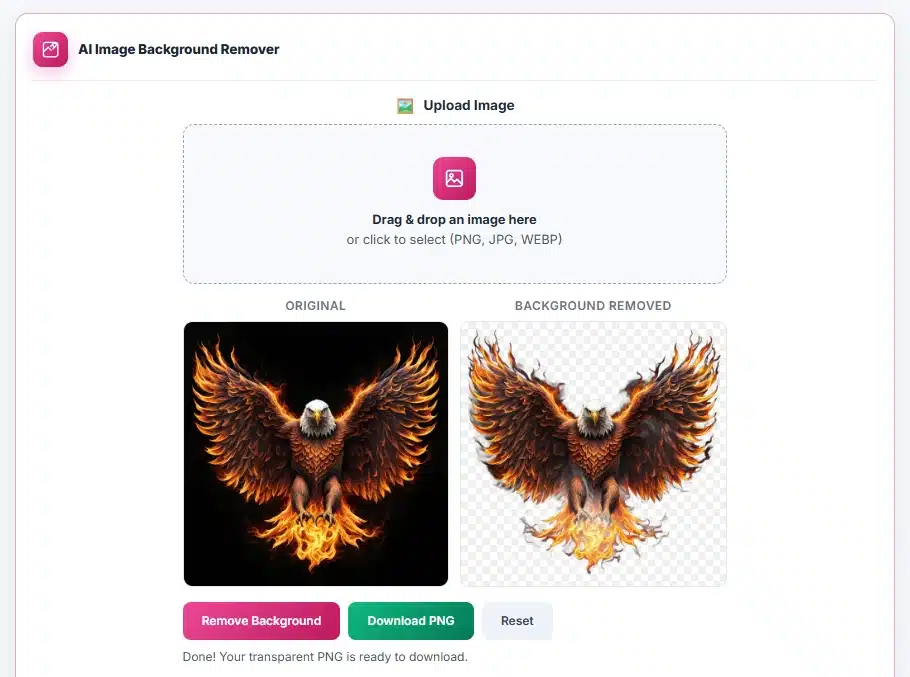
Upload Image
Drag & drop an image here
or click to select (PNG, JPG, WEBP)
Original
Background removed
User Guide
Choose a picture
PNG, JPG and WEBP are accepted. Subjects with a clear edge against a contrasting background cut out best — a person against a wall, a product on a table. Fine detail like loose hair or a wire fence is the hardest case for any tool of this kind.
Expect a wait on the very first run
The first time you use this, your browser downloads the AI model, which is about 40 MB. That happens once and is then cached, so every later cut-out starts immediately. Worth knowing before you start it on mobile data.
Remove the background
Press the button. The model examines the picture and separates subject from background locally — larger images take proportionally longer, because the work is done by your own device rather than a server farm.
Download the PNG
The result saves as a PNG with a genuinely transparent background, named after your original file. PNG is used because it is the common format that supports transparency — saving as JPG would fill the cleared area with white and undo the work.
Reset for the next one
Reset clears the current image and result. The model stays cached, so the next picture starts processing straight away.
About the AI Background Remover
This is not edge detection, and understanding what it actually does explains both why it works so well on some photographs and why it struggles on others.
How the cut-out is produced
The tool loads @imgly/background-removal, which runs a trained segmentation network through ONNX Runtime compiled to WebAssembly. The network does not look for outlines. It examines the whole picture and assigns every single pixel a value describing how much of it belongs to the subject — 0 for pure background, 255 for solidly the subject, and everything between for pixels that are partly both. That grid of values is called an alpha matte.
That matte then becomes the alpha channel of the PNG you download. It is the reason the output must be a PNG: the format carries a per-pixel transparency channel, described in the W3C PNG specification, while JPEG has no such channel and would flatten every cleared pixel to solid white.
Why hair and glass are genuinely hard
A pixel along a strand of hair is not a mistake the model made — it really does contain both subject and background. The light that reached that sensor cell came from both. Image compositing describes this as I = αF + (1−α)B, where the one colour you can observe is a blend of a foreground and a background colour in unknown proportion (see alpha compositing). One measurement, three unknowns. No amount of processing can fully recover what was mixed together, so every cut-out tool in existence approximates here. It is a mathematical limit, not a bug.
Why very large images are not proportionally slower
The network expects a fixed input size, so your photograph is scaled down before inference and the resulting matte is scaled back up to the original dimensions. A 20-megapixel image is therefore not ten times slower than a 2-megapixel one — but the matte was computed at the smaller size, which is the second reason very fine detail softens. Shooting or cropping tighter on the subject gives the model more pixels to work with where it matters.
What the 40 MB actually is
Model weights — the learned parameters of the network, not program code. They download once and stay in your browser cache, which is why the first run is slow and every run afterwards is not. Inference uses your CPU through WebAssembly, so speed tracks the device in your hand rather than a server somewhere.
Frequently Asked Questions
Why is the first run so slow?
Your browser is downloading the AI model, roughly 40 MB. That happens once and is cached afterwards, so every subsequent image starts immediately. On a slow or metered connection, do the first run on Wi-Fi.
Is my photo uploaded anywhere?
No. The model runs inside your browser and the image never leaves your device. That is the main reason to use this rather than a server-based remover for ID or passport photographs.
Why is the download a PNG and not a JPG?
JPG has no transparency. Saving a cut-out as JPG would fill the removed area with solid white, which defeats the purpose. PNG preserves the transparent area so the image can sit on any background.
The edges around hair look rough. Can I fix it?
Hair is the hardest case for every automatic remover. The most effective fix is a different source photo with stronger contrast between the subject and what is behind them — retrying the same image rarely changes much.
Is there a file size limit?
None that we impose, but processing happens in your browser’s memory, so very large images are slower and can strain an older phone. Resizing a huge photo before cutting it out usually gives a faster result with no visible loss.
Does it work without an internet connection?
After the model has been cached, largely yes. The first run needs a connection to fetch the model.