
User Guide
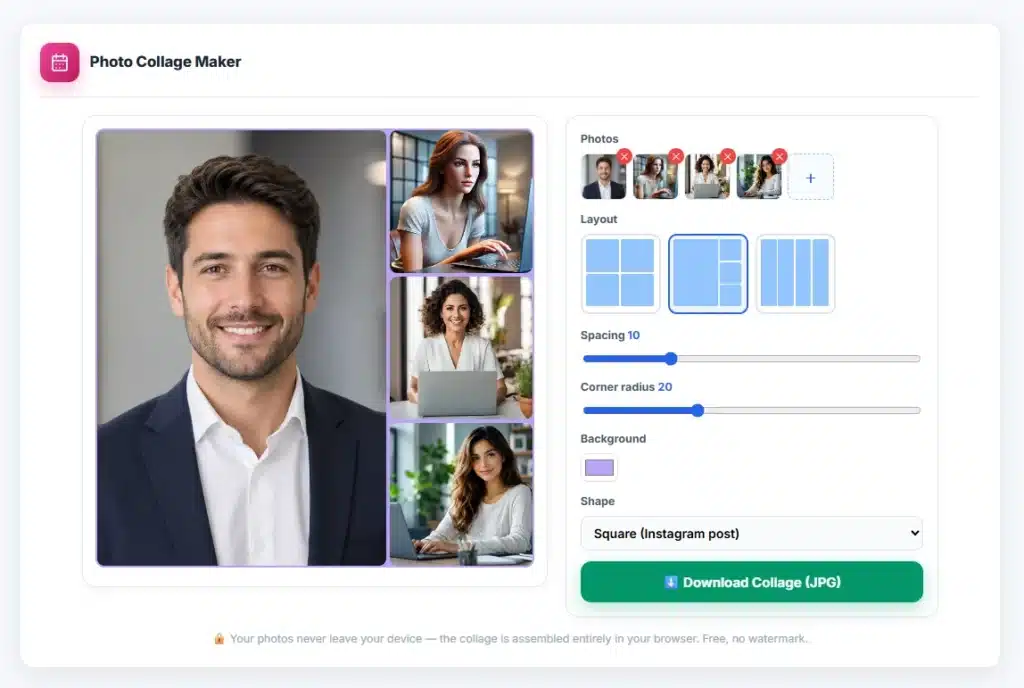
- Add 2–9 photos — drag & drop or browse; thumbnails appear in the side panel.
- Pick a layout (the options adapt to your photo count) and an overall shape: Instagram square, 9:16 story or 16:9 landscape.
- Fine-tune spacing, corner rounding and background colour — the preview updates live.
- Click Download Collage for a high-resolution JPG.
About the Photo Collage Maker
Combine several photos into one clean, shareable image — without installing an app, creating an account or getting a watermark stamped across your memories. Pick a grid, drop in 2–9 photos, adjust the spacing and corners, and download a high-resolution collage sized for exactly where it’s going: 1200×1200 for Instagram posts, 1080×1920 for stories and WhatsApp statuses, or 1600×900 landscape for headers and slides.
What collages are for
Event recaps: a wedding, trip or birthday told in one image instead of a 40-photo dump — the single most-shared collage format. Before & after: two photos side by side for renovations, haircuts, artwork and fitness progress. Selling online: marketplace listings with front/back/detail shots in one image get more clicks than a lone photo. Comparisons and mood boards: products, paint colours, outfit options — seeing candidates together is the point.
Smart layout behaviour
Layout options adapt to your photo count — two photos offer side-by-side or stacked; four offer the classic grid, a hero-plus-three, or a filmstrip; nine gives the full 3×3. Photos cover-fill their cells (cropped to fit, never squashed), so mixed portrait and landscape shots sit cleanly together. Spacing at 0 makes a seamless mosaic; 10–15 with rounded corners is the polished “printed photos” look; a black background with wide gaps reads as a gallery wall.
Quality and privacy
The collage renders at full output resolution (not a screenshot of the preview), so text and faces stay sharp when platforms re-compress. Everything happens in your browser — your photos are never uploaded, which matters when the collage is your kids’ birthday party. Download is a ~92%-quality JPG that’s Instagram-ready as-is; if a platform wants it smaller, the Image Compressor finishes the job, and the Image Resizer handles odd size requirements. Making a single image with text instead? That’s the Meme Generator‘s department.
Frequently Asked Questions
How many photos can I put in a collage?
2 to 9 — the layout options adapt to your count, from side-by-side pairs to a full 3×3 grid, including hero-photo and filmstrip arrangements.
What size should a collage be for Instagram?
Use the Square (1200×1200) preset for posts and Portrait 9:16 (1080×1920) for stories. Both presets are built in, plus 16:9 landscape for headers and slides.
Will my photos be stretched or squashed?
Never — each photo cover-fills its cell, cropped to fit while keeping its proportions. Mixed portrait and landscape shots sit cleanly together.
Is there a watermark on the download?
No — the collage downloads as a clean, high-resolution JPG with no watermark, no sign-up and no payment.
Are my photos uploaded to a server?
No — the collage is assembled entirely in your browser. Your photos never leave your device.