PDF to Text
Extract all readable text from a PDF file.
Drag & drop your PDF here
or click to select file
User Guide
Add the PDF
Drag it in or click to browse. Extraction begins from the text already stored in the file, so it is close to instant even on long documents.
Convert
Each page is read in order and the results are joined with a blank line between pages, so the page structure survives in a readable form.
Download the .txt
Plain UTF-8 text, which opens in any editor and pastes cleanly into a spreadsheet, a translator or a word counter.
If the file comes back empty, it is a scan
A scanned page is a picture of text, not text. There is nothing stored to extract. That is the single most common surprise with this kind of tool, and it is a property of the file rather than a fault.
Expect layout to be lost
Columns, tables and text boxes are stored as positioned fragments. Extraction returns them in the order the file lists them, which is not always the order you read them in.
What to do with a scan
You need OCR — optical character recognition — which reads letterforms out of an image. That is a different operation, and the Image to Text tool is the right starting point.
About the PDF to Text Converter
This tool extracts the text stored inside a PDF and saves it as a plain .txt file. It runs in your browser and takes about as long as opening the document.
The distinction that decides whether this works
There are two kinds of PDF, and they look identical on screen.
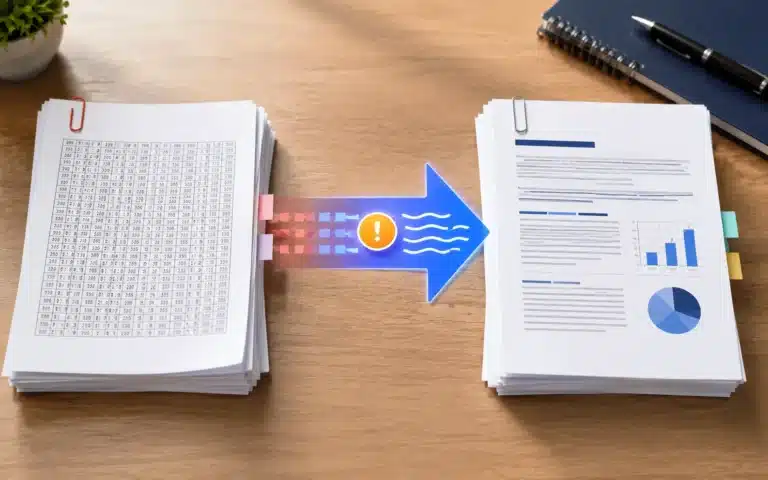
A born-digital PDF was created from a document — exported from Word, printed to PDF, generated by a system. Its text is stored as characters with fonts and positions. You can select it, search it, and this tool can extract it.
A scanned PDF is a photograph of paper. As far as the file is concerned each page is one image; there are no characters anywhere. Selecting text does nothing, searching finds nothing, and extraction returns nothing — not because the tool failed, but because there is nothing there to take.
The quick test: open the PDF and try to select a line of text with your cursor. If it highlights, this tool will work. If you get a rectangle over an image, you need OCR.
What extraction preserves, and what it does not
| Result | |
|---|---|
| Words and punctuation | Preserved exactly |
| Reading order | Usually correct in single-column documents |
| Page breaks | Kept, as a blank line between pages |
| Bold, italic, size, colour | Lost — plain text carries no formatting |
| Columns and tables | Flattened; column order is not guaranteed |
| Headers, footers, page numbers | Included, mixed in with the body text |
| Images and captions | Images dropped; captions kept if they are real text |
Multi-column layouts are the common disappointment. A PDF stores text as positioned fragments, and extraction reads them in the order the file lists them. That order usually matches reading order in a plain report, and often does not in a newspaper-style layout or an academic paper, where you can end up with the left column and right column interleaved.
What it is good for
Getting a quotable passage out of a report without retyping it. Feeding a document into a word counter, a translator or a search index. Pulling reference lists out of papers. Checking what a PDF actually contains before sending it on. Recovering text from a document whose source file has been lost.
It is not the right tool when layout matters. If you need the document back as an editable file with its formatting intact, a PDF to Word conversion is the job you want; plain text deliberately throws all of that away.
Privacy
The work happens in this browser tab. Your file is read from disk into the page’s memory, processed there and written back out — it is never transmitted, so there is no upload wait and no copy of your document on any server.
Frequently Asked Questions
Why is my extracted file empty?
Your PDF is almost certainly a scan — a picture of a page rather than stored text. There are no characters in the file to extract. Try selecting a line of text in the PDF: if you cannot, you need OCR rather than extraction.
Does this do OCR on scanned documents?
No. It reads text that is already stored in the file. Recognising letterforms in an image is a different operation — start with the Image to Text tool for scans.
Will the formatting be preserved?
No. The output is plain text, so bold, italics, sizes, colours and fonts are all dropped. Page breaks are kept as blank lines. If you need formatting, convert to Word instead.
Why is the text from my two-column PDF jumbled?
A PDF stores text as positioned fragments and extraction reads them in the order the file lists them. In single-column documents that matches reading order; in newspaper or academic layouts the columns can interleave.
Are headers and page numbers included?
Yes — they are real text on the page, so they appear in the output mixed in with the body. Stripping them is a quick find-and-replace in any editor.
What encoding is the file?
UTF-8, so accented characters, currency symbols and non-Latin scripts all survive. It opens correctly in any modern editor.
Is there a page or size limit?
No, because nothing is uploaded. Extraction reads stored text rather than rendering pages, so it stays fast even on documents of several hundred pages.
Is my document sent to a server?
No. Extraction runs in your browser and the file never leaves your device.