
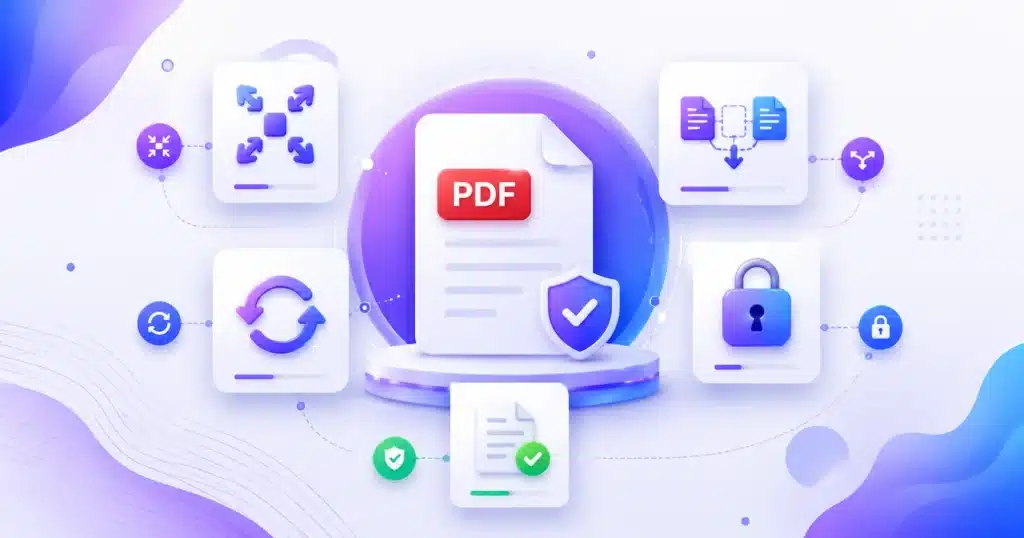
AMTake’s free online PDF tools let you merge, split, compress, convert, edit and protect PDF documents in seconds — no software, sign-up or watermarks. Combine multiple files into one, extract or reorder pages, reduce PDF size, or convert PDFs to and from Word, Excel, JPG and more. Every PDF tool works securely in your browser on any device, so your documents stay private while you get professional results, fast and completely free.
What You Can Do With Our Free PDF Tools
AMTake’s PDF tools cover the entire lifecycle of a PDF — from creating and converting to editing, organising and securing — without any software, sign-up or watermark. Whether you are shrinking a scan for a government portal, turning a report into an editable Word file, or combining a stack of invoices, there is a dedicated free tool for it, and most run entirely in your browser so your documents stay private.
Compress & resize
Shrink a large PDF to an exact upload size with the PDF Compressor — ideal for job portals, KYC and exam forms.
Merge & split
Merge PDFs into one file or split pages out — reorder, delete or extract exactly the pages you need.
Convert to & from PDF
Turn PDF into Word, Excel, JPG or PNG, and convert Word, images and web pages back into clean PDFs.
Edit & annotate
Edit PDF pages, add page numbers, watermarks, headers, footers and a signature.
Protect & unlock
Password-protect a confidential PDF, or unlock one you own to remove a known password.
Organise pages
Reorder, rotate and delete pages to tidy up a document before you share or print it.
Why Choose AMTake’s PDF Tools
100% free, no limits
Every PDF tool is free forever — no subscriptions, no daily caps, and no watermark stamped on your files.
Private by design
Most tools process your PDF inside your browser, so sensitive documents never leave your device. Server-side tasks use encrypted HTTPS and auto-delete.
Fast & no install
Nothing to download. Open a tool, drop in your file and get the result in seconds — on any device.
Works everywhere
Fully mobile-friendly, so you can fix or convert a PDF from your phone, tablet or desktop.
How to Use Our Online PDF Tools
- Pick the right tool Choose from the grid above — compress, convert, merge, edit, protect and more.
- Upload or drag your PDF Drop your file in (or your images/Word file when creating a PDF). Processing starts instantly.
- Download your result Preview, then download the finished PDF. Your original is never stored or altered.
Popular PDF Tasks, Made Simple
Some jobs come up again and again. To fit a PDF under an upload limit (100 KB, 200 KB or 500 KB), use the compressor and, for stubborn scans, rebuild from compressed page images. To make a PDF editable, run it through the PDF to Word converter and open the result in Word or Google Docs. To combine documents — say several invoices or certificates — merge them in the order you choose. And to send a document securely, add a password with Protect PDF before you email it. Every one of these runs free, in your browser, with nothing left behind.
Frequently Asked Questions
Are these online PDF tools completely free?
Yes. Every PDF tool on AMTake — compress, merge, split, convert, edit, protect and more — is 100% free with no sign-up, no usage limits and no watermark on your files. The site is funded by unobtrusive ads, so you never pay to work with a PDF.
Do I need to install software like Adobe Acrobat to edit a PDF?
No. All our PDF tools run in your web browser, so there is nothing to download or install. You can compress, convert, merge and edit PDFs on any device without Acrobat or any paid desktop program.
Are my PDF files safe and private when I use these tools?
Yes. Most PDF tools process your file entirely within your browser, so your documents never leave your device. The few tools that need server processing transfer files over encrypted HTTPS and delete them automatically after the task — we never read, share or sell your files.
Which is the best free PDF tool for my task?
It depends on the job: use the PDF Compressor to reduce size, PDF to Word to make a PDF editable, Merge PDF to combine files, Split PDF to extract pages, and Protect PDF to add a password. The grid above groups every tool by what it does so you can pick quickly.
How do I compress a PDF to a specific size like 100KB or 200KB?
Open the PDF Compressor, choose a stronger compression level until the preview shows your target size, and download. For image-heavy scans that resist compression, export the pages, compress each image, then rebuild the PDF for precise control over the final size.
How do I convert a PDF to Word, Excel or JPG?
Use the matching converter — PDF to Word for an editable .docx, PDF to Excel for spreadsheets, or PDF to JPG/PNG for images. They keep your layout intact, and you can convert the other way too, turning Word, Excel and images back into PDF.
Can I merge or combine several PDFs into one file?
Yes. The Merge PDF tool lets you add multiple files, drag them into the order you want, and download them as a single combined PDF — perfect for bundling invoices, certificates or report sections.
How do I password-protect or unlock a PDF?
Use Protect PDF to add a password and encryption before sharing a confidential document. To remove a password from a PDF you own, use Unlock PDF and enter the current password. Both run privately in your browser.
Do these PDF tools work on mobile phones and iPhones?
Yes. Every PDF tool is mobile-first and works in any modern browser on Android and iPhone, as well as tablets and desktops — so you can compress or convert a PDF straight from your phone.
Is there a limit on file size or the number of PDFs?
Because most tools run in your browser, practical limits depend on your device’s memory rather than a fixed server cap. Everyday documents process instantly; very large files may be slower on low-memory phones, where a desktop is recommended.
Will converting or compressing reduce my PDF's quality?
Text stays crisp because it is re-encoded, not rasterised. Compression mainly re-compresses the images inside a PDF, so at balanced settings the difference is barely visible; only maximum compression on photo-heavy files shows any softening.
Can I edit the text or pages inside a PDF?
Yes. You can reorder, rotate and delete pages, add page numbers, watermarks, headers, footers and signatures, and for full text editing, convert the PDF to Word, edit it there, and export it back to PDF.
Do the PDF tools work offline?
Browser-based tools keep working after the page has loaded, even if your connection drops. Tools that rely on server-side processing for advanced conversions need an active internet connection.
Can I use these PDF tools for business or commercial documents?
Yes. All tools are free for both personal and commercial use. Freelancers, small businesses and larger teams can compress, convert, merge and protect work documents at no cost and with no licensing.
How do I create a PDF from images or a Word document?
Use JPG to PDF or Image to PDF to turn photos and scans into a PDF, or Word to PDF and Excel to PDF to convert Office files. You can combine several images into one PDF and choose the page size before downloading.
Need PDF tools for an assignment? The submission-day set — compress, merge, convert — is grouped in the Student Tools hub.