User Guide
Add your images
Photographs of documents, scans, screenshots — anything with text in it. Each image becomes one page of the finished PDF.
Pick the right language
This is the setting that decides whether OCR works. The recognition engine matches letterforms against a language model, so a Hindi document read as English produces nonsense. 28 languages are available.
Start recognition
The engine downloads its language data on first use and then runs locally. Expect a few seconds per page — OCR is genuinely heavy work, and it is happening on your device rather than a server.
Wait for each page
Progress is reported per page. A long document takes a while; that is the cost of not sending your documents to someone else’s machine.
Download the searchable PDF
The image stays visible exactly as photographed, with the recognised text layered invisibly behind it. The page looks identical and is now searchable and selectable.
Check the recognition
Search the finished PDF for a word you can see on the page. If it is not found, the language was probably wrong, or the source image needs to be sharper.
About the Image to Searchable PDF Converter
This tool reads the text inside a photograph or scan and builds a PDF where that text is searchable, selectable and copyable — while the page still looks exactly like the original image. It runs in your browser, in 28 languages.
What OCR actually does
Optical character recognition looks at the shapes in an image and works out which characters they are. It is a fundamentally different operation from reading a PDF that already contains text: there, the characters are stored and merely need retrieving. Here, they have to be recognised from pixels, which is why it takes seconds per page rather than milliseconds.
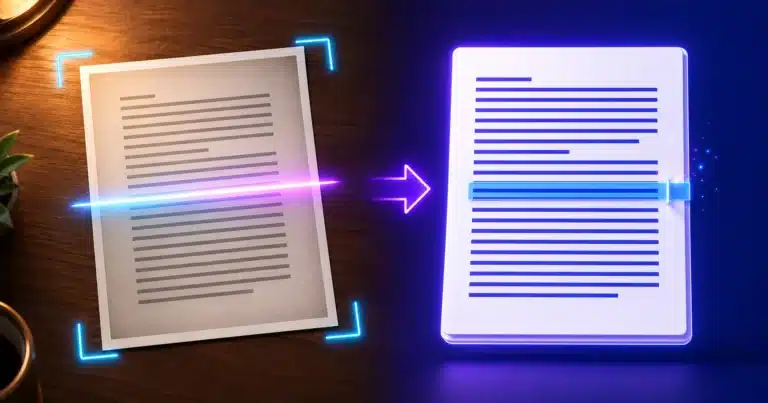
The output is a searchable PDF — sometimes called a sandwich PDF. Your original image sits on top, unchanged, so the document still looks like the paper it came from. The recognised text sits invisibly underneath, aligned to the words. You see the photograph; your search box sees the text.
Language is the setting that matters
Recognition is not shape-matching alone. The engine uses a model of the language to resolve ambiguity — which is how it knows that a particular smudge is more likely rn than m in one word and the reverse in another. Choose the wrong language and that help becomes active harm.
All 28 are available, including scripts that are not Latin at all: Arabic, Hebrew, Hindi, Chinese in both Simplified and Traditional, and Greek, alongside French, German, Dutch, Danish, Finnish, Czech and the rest. If your document mixes languages, choose the one most of the body text is in.
What determines whether it works
| Factor | Effect on accuracy |
|---|---|
| Sharpness | The single biggest one — a slightly blurred photograph loses far more than a slightly dark one |
| Straightness | Text at an angle recognises badly; hold the camera parallel to the page |
| Even lighting | Shadows and glare create false edges the engine reads as marks |
| Resolution | Around 300 DPI equivalent is the sweet spot; much lower and letterforms break down |
| Typeface | Ordinary printed type is best. Handwriting is not supported in any meaningful way |
| Background | Plain paper beats patterned, coloured or heavily stamped documents |
The practical version: a steady, well-lit photograph taken square-on will recognise well. A hurried angled snap in a dim room will not, and no setting rescues it. Retaking the photograph is almost always faster than fighting the output.
Why it runs in your browser
OCR is exactly the kind of document people are least willing to upload — identity papers, certificates, medical letters, contracts, bank statements. Running the recognition locally means those never leave the device. The cost is speed: your laptop is slower than a server farm, and you will feel it on a long document. That trade is deliberate.
If you only need the words rather than a searchable document, the Image to Text tool returns plain text instead.
Frequently Asked Questions
What is a searchable PDF?
One where the original image is still what you see, with the recognised text layered invisibly behind it. The page looks exactly like the scan, but you can search, select and copy the words.
Which languages are supported?
28, including Hindi, Arabic, Hebrew, Chinese in both Simplified and Traditional, Greek, and the major European languages. Choosing the right one matters — the engine uses a language model to resolve ambiguous letterforms.
Why is the recognised text wrong?
Usually the wrong language was selected, or the source image is not sharp enough. Blur costs far more accuracy than poor lighting does. Retaking the photograph square-on in even light fixes most cases.
Can it read handwriting?
Not in any reliable way. The engine is trained on printed type. Neat block capitals sometimes partially work; ordinary handwriting does not.
Why does it take several seconds per page?
Because recognising characters from pixels is genuinely heavy computation, and it is running on your device rather than a server. That is the trade for your documents never being uploaded.
Is my document uploaded for recognition?
No. The engine downloads its language data once and then works entirely in your browser. Identity documents, medical letters and contracts never leave your machine.
What resolution should I scan at?
Around 300 DPI, or a phone photograph that fills the frame with the page. Much below that and letterforms start to break down faster than the language model can compensate.
I only want the text, not a PDF
Use the Image to Text converter instead — it runs the same recognition and returns plain text without building a document around it.