Dictating a first draft, from the first press to the finished text
1. Pick your language before you press anything
The recogniser is loaded per language, and switching afterwards restarts it. The list carries 48 languages with their regional variants, which matter more than people expect — English (India) and English (United States) are different acoustic and language models, and choosing the one that matches your accent is usually the single biggest improvement available to you.
2. Press Start Dictating and allow the microphone
Your browser asks for permission the first time. Allow it and the button turns red and pulses, with a live status line beside it. If you blocked the microphone at some point in the past, the padlock in the address bar is where you undo that, and the tool tells you when that is what has happened rather than failing silently.
3. Speak naturally, and say your punctuation out loud
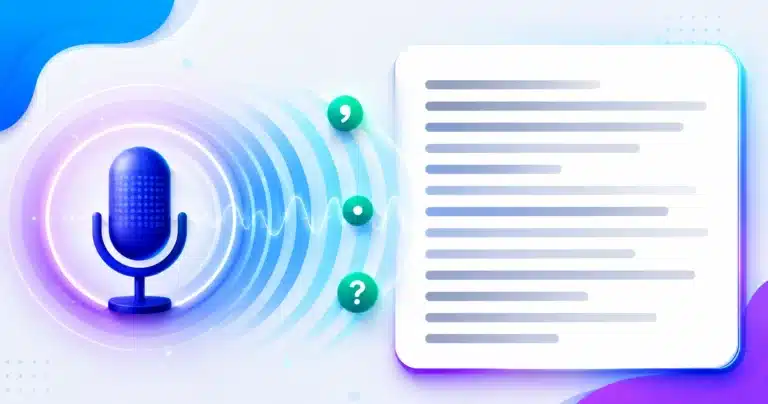
Say “full stop”, “comma”, “question mark”, “new line” and they are typed as marks. So are the equivalents in your own language: alpaviram types a comma, purna viram types a danda. Untick the box if you need to dictate those words literally.
4. Watch the grey line while you talk
Below the box, in grey italics, is the interim result — what the engine currently thinks it heard, before it commits. It changes as you speak and often corrects itself mid-phrase. When it settles, the words move up into the box as final text.
5. Fix things without stopping
Click anywhere in the text and edit. Dictation continues from your cursor rather than jumping to the end, so you can correct a sentence and carry on inside it. If the recogniser inserted a phrase you did not want, Undo last phrase removes exactly that phrase — something the browser’s own undo cannot do.
6. Let the pauses do the formatting
Leave a gap of a couple of seconds between thoughts and a new paragraph begins. It is a checkbox, because a shopping list read aloud has long gaps and is not a series of paragraphs. An hour of dictation otherwise arrives as one unbroken block.
7. Take the text with you
Copy to the clipboard or download a .txt file. Your draft is also kept in this browser as you go, so a closed tab or a flat battery does not cost you the session — see below for exactly what that means and where it lives.
Where your voice actually goes, stated plainly
This is the thing most sites in this category are vague about, so it goes near the top rather than in a footnote.
This tool uses the Web Speech API built into your browser. When you dictate, your microphone audio is streamed to the speech service your browser is wired to — Google’s, in Chrome and Edge — and the recognised text comes back. The recognition does not happen on your device. An internet connection is required, and this is not the tool for dictating anything genuinely confidential: medical notes, legal instructions, anything under an NDA.
What we can tell you is where the text does not go. It is never sent to our servers, never stored by us, and never logged by us. It lives in the box on this page, and in your own browser’s local storage if you leave a draft, until you copy it, download it, or clear it.
We are explicit about this because a browser dictation tool cannot honestly claim to be private, and plenty of pages imply otherwise. If your work genuinely cannot leave your machine, what you need is offline dictation software that runs a model locally — not a web page.
Why the recogniser hears some words and not others
A speech recogniser is not matching sounds to words one at a time. It runs two models together: an acoustic model that maps audio to plausible sounds, and a language model that weighs which word sequences are actually likely in that language. The output is the most probable sentence given both.
That combination explains most of what you will see. Context helps enormously, which is why a word in a full sentence is recognised better than the same word said alone. It also explains the failures: an unusual name gets replaced by a common word that sounds similar, because the language model considers the common word far more likely. The system is not confused — it is confidently choosing the more probable sentence, and occasionally that is the wrong one.
Practical consequences worth knowing. Proper nouns, technical vocabulary, and code are the weakest cases. Numbers and dates are usually strong, because the model expects them. Speaking a little more slowly helps far less than speaking a little more clearly. And background speech is worse than background noise, because another voice is exactly what the acoustic model is looking for.
The confidence figure, and what to do when it drops
Every final result the API returns carries a confidence score between 0 and 1 — SpeechRecognitionAlternative.confidence. Most tools read the transcript and throw the score away. This one keeps a rolling window of the last six.
One poor score means nothing; people mumble one word in ten. A sustained run of them means something, and it is usually fixable at your end rather than the engine’s. When the average across the window drops below about 0.62 the page says so and names the three things that actually help: get closer to the microphone, reduce background noise, and check that the language you selected matches the language you are speaking.
That last one is the most common cause and the least obvious. Dictating Hindi with English (India) selected produces confident nonsense rather than an error, because the engine is doing exactly what it was asked to do.
Punctuation belongs to the script, not to English
Most browser dictation tools understand spoken punctuation in one language and assume you will say it in English. This one carries a phrase list for every one of its 48 languages — 289 phrases in total — and checks the list for your selected language before the English one, with English still active behind it, because people genuinely code-mix while dictating.
Two details make the difference between this working and half-working.
The mark has to suit the script. Hindi and Bangla end a sentence with a danda, not a full stop. Japanese and Chinese use the full-width ideographic stop and comma. Urdu uses its own full stop and comma; Arabic its own comma, semicolon and question mark. Amharic has its own four-dot full stop. Typing an ASCII period into any of those is the sort of small wrongness that tells a reader the tool was built for someone else.
Longest phrases must be matched first. A Spanish speaker saying punto y coma means a semicolon; a naive matcher that tried punto first would produce a full stop followed by a stray “y coma”. The same problem sinks French point d’interrogation, which contains point. Phrases are therefore always sorted longest-first before matching.
And some scripts do not separate words with spaces at all — Chinese, Japanese, Thai — so neither the matching nor the joining can assume whitespace is there to anchor on. Those languages are matched without word boundaries and joined without inserted spaces.
Regional variants are not decoration
The language codes here follow RFC 5646, “Tags for Identifying Languages”, published in September 2009 as BCP 47 — the standard behind every lang attribute on the web, and the reason a tag looks the way it does. A tag like en-IN is a language subtag plus a region subtag, and the region genuinely changes which model runs.
If you speak Indian English, choosing English (India) rather than English (United States) will improve your results measurably, and the same applies to Bangla (Bangladesh) against Bangla (India), Urdu (Pakistan) against Urdu (India), and the Spanish, Arabic, Portuguese and French variants. This is the cheapest accuracy gain on the page and the one most people never try.
Your draft is kept, in your browser and nowhere else
Dictation is the worst kind of work to lose. Twenty minutes of speech, a closed tab or a phone call, and it is gone.
So the transcript is saved as you go into your own browser’s local storage — the same mechanism a site uses to remember a preference. It never leaves your device and it never reaches us. When you come back and the box is empty, the page tells you a draft exists, how old it is and how many words it holds, and offers it back. It does not restore it silently, and it will never overwrite text you already have in the box.
Pressing Clear removes the saved draft as well as emptying the box, so clearing and reloading cannot resurrect something you deliberately got rid of. If your browser is in private mode, or you have site data disabled, the feature simply does not run and nothing breaks.
Undoing a phrase, which is not the same as undoing typing
Your browser’s undo walks its own record of what you typed. It knows nothing about a phrase the recogniser inserted in one go, so pressing it after a bad recognition does something unpredictable.
The Undo button here works at the level the tool actually operates on: it removes the last phrase the recogniser added, and again for the one before that, up to thirty steps back. It also tells the running session to forget those phrases — otherwise the next result would rebuild the transcript and put them straight back, which is the same reasoning that makes mid-dictation editing safe.
Browser and device support, without the hedging
Speech recognition in the browser is not universally supported, and the gaps are worth knowing before you rely on it. Current support is summarised on Can I use — Speech Recognition API.
- Chrome and Edge, desktop — the best case. Continuous dictation, reliable interim results.
- Safari, macOS and iOS — supported, with shorter sessions and more restarts.
- Chrome on Android — supported, but the platform does not implement continuous recognition the way desktop does, so the tool restarts the recogniser after each utterance. That is the standard approach on Android and it is why dictation there feels slightly more staccato.
- Firefox — no speech engine. The tool detects this and says so instead of presenting a button that does nothing.
The API itself is described in the Web Speech API specification and documented on MDN. That specification is worth looking at once, because its status explains a great deal: it is still a Draft Community Group Report — the current one is dated 10 August 2026 — rather than a settled W3C Recommendation, more than a decade after browsers began shipping it. Nothing obliges two vendors to behave identically, and they do not.
The duplication problem, and why this tool does not have it
Worth explaining, because if you have used browser dictation elsewhere you have probably met it: every phrase appearing twice.
It happens because a restarted recogniser can hand back results it has already delivered. Rebuild the transcript from “what we had” plus “what the engine is reporting now” and the overlap is written twice. On Android it is worse, because the platform re-emits finalised phrases at new indices as it restarts internally.
Three independent guards are in place here: a fresh recogniser instance for every session, so nothing can be inherited across a restart; finalised phrases stored by their result index, so a re-delivered phrase overwrites its own slot instead of appending; and a session token, so a late event belonging to a finished session is ignored rather than acted on. Any one of them would fix the common case. All three are there because the failure is silent and the cost of it is a ruined transcript.
Who this is genuinely for
People who think faster than they type, and whose first draft does not need to be perfect: notes, emails, blog posts, journal entries, meeting summaries written straight afterwards. It suits anyone dictating in an Indian language who does not have that keyboard installed — and if a word comes out wrong, deleting it and saying it again is usually faster than finding the character map.
It suits people with RSI, limited hand mobility or dyslexia, for whom speaking is simply less costly than typing. And it suits students turning a lecture’s worth of thinking into text quickly.
It does not suit confidential material, live transcription of other people’s speech in a meeting, or anything needing verbatim accuracy without review. Every transcript from every recogniser needs reading before it is used.
Keyboard shortcuts
- Ctrl + Shift + D (Cmd + Shift + D on a Mac) — start or stop dictating without reaching for the button.
- Escape — stop dictating.
Both are ignored while you are typing in the text box, so a shortcut can never eat a keystroke meant for the draft.
Questions people ask about voice typing
Is this speech to text tool really free?
Yes — no sign-up, no time limit, no cap on how much you dictate. It uses the speech engine already built into your browser, so there is no API bill behind it to pass on to you.
Does it work in Hindi, Bangla and other Indian languages?
Yes. Hindi, Bangla for both India and Bangladesh, Tamil, Telugu, Marathi, Gujarati, Kannada, Malayalam, Punjabi, Urdu for both India and Pakistan, Nepali and Sinhala, each with spoken punctuation in that language and the correct mark for its script.
Why is speech to text not working on my phone?
Most often the microphone permission, which is per-site and easy to have declined once. After that, check you are in Chrome or Safari rather than an in-app browser, and that you have a connection — recognition needs one. Android also restarts the recogniser between utterances, which is normal here and not a fault.
How do I add commas and full stops?
Say them. “Comma”, “full stop”, “question mark”, “new line”, “new paragraph” all become marks. Leave the Spoken punctuation box ticked.
Can I say punctuation in my own language?
Yes, in all 48. Say alpaviram in Hindi or kama in Bangla and you get a comma. English phrases keep working alongside your language, because the engine itself often returns “comma” in English mid-Hindi.
Does Hindi get a full stop or a danda?
A danda, which is what Hindi actually uses. Bangla too. Gujarati, Tamil, Telugu, Kannada and Malayalam take a full stop, which is what those scripts use in modern practice.
Why is there no space before the full stop in Chinese?
Because Chinese does not put one there, and it uses the full-width mark rather than the ASCII one. The same logic applies to Japanese. Scripts without word spacing are matched and joined without inserted spaces.
I want to type the word “comma”, not the symbol. Can I turn this off?
Untick Spoken punctuation. Everything is then transcribed literally, including the punctuation words.
Can I dictate into the middle of what I have already written?
Yes. Put the cursor where you want the words and speak; they are inserted there and dictation continues from that point. Select some text first and what you say replaces it.
What does the low confidence message mean?
That the engine’s own confidence scores have been poor for several phrases in a row. It is usually distance from the microphone, background noise, or the wrong language selected — all fixable. It is not a judgement of your speech.
Will I lose my transcript if the tab closes?
No. The draft is kept in your browser as you dictate and offered back when you return. It never leaves your device.
Is my voice recorded or stored anywhere?
Not by us. Your audio is streamed to your browser’s speech service — Google’s, in Chrome and Edge — to be transcribed, which is how browser dictation works everywhere. Nothing reaches our servers, and we store and log nothing.
Can it tell different speakers apart?
No. The Web Speech API does not do speaker separation or diarisation. It transcribes whatever it hears as one stream, which is one reason it is a poor fit for recording meetings.
Sources
- MDN — Web Speech API, the reference documentation for the interface this tool is built on.
- Web Speech API specification, Draft Community Group Report of 10 August 2026 — still a draft rather than a settled standard, which is why implementations differ.
- MDN — SpeechRecognitionAlternative.confidence, the score behind the low-confidence hint.
- Phillips A, Davis M (eds), RFC 5646 — Tags for Identifying Languages, September 2009 (BCP 47, obsoleting RFC 4646) — the standard behind the language and region codes in the menu.
- Can I use — Speech Recognition API, for current browser support.
Tools people open next to this one
- Text to Speech — the other direction, with a reading view that highlights each word as it is spoken.
- Word Counter — for checking a dictated draft against a length target.
- Online Notepad — somewhere to keep the text once it is out of your head.
- Word Case Converter — for tidying capitalisation after a long dictation.
- Text to Handwriting — if the dictated draft needs to end up looking handwritten.
- Word to PDF Converter — for turning the finished draft into a document.