User Guide
Add your image
Drag it in or click to browse. It is read straight into the page — there is no upload and no wait.
Choose a preset
Twelve presets cover the sizes people actually need, from Instagram square through YouTube thumbnails to a 500×500 profile picture. Each states its exact pixel dimensions.
Choose how it should fit
Cover fills the frame and crops the overflow. Contain fits the whole image and pads the gaps. Stretch distorts to fit and is almost never what you want.
Set a background if you chose Contain
Padding needs a colour. White works on most feeds; matching your brand colour looks considerably more deliberate than the default.
Pick an output format
JPG for photographs, PNG when you need sharp text or transparency, WebP for the smallest file at equivalent quality.
Check the preview before downloading
With Cover in particular, look at what got cropped. Faces and text near the edges are what usually get cut, and a portrait crop of a landscape photo loses a lot.
About the Social Media Image Resizer
This tool resizes an image to the exact pixel dimensions a platform expects, in your browser. Uploading an image at the wrong size means the platform crops or compresses it on your behalf, usually badly and without asking.
The presets
| Platform | Placement | Pixels |
|---|---|---|
| Square post | 1080 × 1080 | |
| Portrait post | 1080 × 1350 | |
| Story / Reel | 1080 × 1920 | |
| Post | 1200 × 630 | |
| Cover | 820 × 312 | |
| YouTube | Thumbnail | 1280 × 720 |
| Channel art | 2560 × 1440 | |
| X / Twitter | Post | 1600 × 900 |
| Header | 1500 × 500 | |
| Post | 1200 × 627 | |
| Pin | 1000 × 1500 | |
| Universal | Profile / WhatsApp | 500 × 500 |
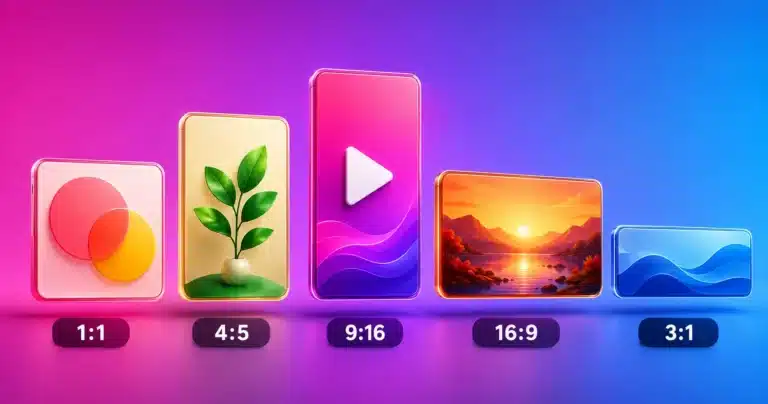
Two of these deserve comment. Instagram portrait at 1080×1350 occupies noticeably more vertical space in the feed than a square, which is why it has become the default choice for anything competing for attention. Pinterest at 1000×1500 is a 2:3 ratio, and Pinterest creative best practices treats that ratio as the standard — taller pins get cut off rather than rewarded.
Cover, Contain and Stretch
This choice decides what happens when your image and the target frame have different proportions, which is nearly always.
Cover scales until the frame is full, then crops whatever hangs over. Nothing is distorted and no padding appears, but content is lost from the edges. It is the right default for photographs.
Contain scales until the whole image fits, leaving bars in the background colour. Nothing is lost and nothing is distorted, but the subject occupies less of the frame. Correct when the entire image matters — a logo, a chart, a screenshot.
Stretch forces the image to the frame regardless of proportion. Faces and circles visibly distort. It exists for the rare case where the source is already close to the right ratio, and should otherwise be avoided.
The practical rule: converting landscape to portrait through Cover discards a great deal of the sides. If the composition matters, Contain with a considered background colour usually looks more deliberate than an aggressive crop.
Why bigger is not better
Uploading a 4000 px image to Instagram does not produce a sharper post. Instagram downsamples anything wider than 1080 px, and it does so with its own compression settings rather than yours. The result is frequently softer than if you had supplied 1080 px directly.
The same logic applies across platforms: matching the expected dimensions means your resize is the last one performed, so you control the sharpening and the compression. Oversized uploads hand both decisions to the platform, and undersized ones get scaled up and look soft.
The one exception is YouTube channel art at 2560×1440, which is genuinely large because it has to crop down to a phone-sized safe area from the same file.
Choosing the format
JPG for photographs. Good compression, no transparency, and slight softness around hard edges. PNG for anything with text, line art, screenshots or transparency — lossless, so text stays crisp, at a larger file size. WebP for the smallest file at comparable quality, now supported across every current browser and major platform.
For YouTube thumbnails specifically, use PNG. Thumbnails almost always carry text, and JPEG artefacts around lettering are exactly what makes a thumbnail look amateur at small sizes. If file size then becomes a problem, the Image Compressor will reduce it without changing the dimensions.
Privacy
Everything runs in your browser. Nothing you enter is transmitted, logged or stored. The image is read directly from your device into the page and never sent to a server.
Frequently Asked Questions
What is the difference between Cover and Contain?
Cover fills the frame completely and crops whatever does not fit — nothing is distorted, but edges are lost. Contain fits the whole image and pads the gaps with your background colour — nothing is lost, but the subject fills less of the frame.
Which Instagram size should I use?
1080×1350 portrait for most posts, because it occupies more vertical space in the feed than a square. Use 1080×1080 square when the composition needs it, and 1080×1920 for Stories and Reels.
What size should a YouTube thumbnail be?
1280×720, which is 16:9. Export it as PNG rather than JPG — thumbnails nearly always contain text, and JPEG artefacts around lettering are what make a thumbnail look amateur at small sizes.
Why does my image look squashed?
You used Stretch, which forces the image to the frame regardless of its proportions. Faces and circles distort visibly. Use Cover to crop instead, or Contain to pad.
Should I use JPG, PNG or WebP?
JPG for photographs, PNG for anything with text, line art or transparency, and WebP for the smallest file at comparable quality. WebP is now supported everywhere that matters.
Why not just let the platform resize it?
Because the platform crops and compresses without asking, and its choices are frequently poor — faces cut off, text softened. Resizing to the exact expected dimensions first means you control what is kept.
What background colour should I choose for Contain?
White is safe on most feeds. Matching your brand colour looks considerably more deliberate, and a colour sampled from the image itself makes the padding almost invisible.
Is my image uploaded anywhere?
No. It is read from your device straight into the page and processed there. Nothing is transmitted, which matters for unpublished campaign artwork and client material.