Every resume guide says “lead with your work experience” — useless advice when you don’t have any. A fresher’s resume follows a different format: education and projects do the talking, and the layout has to survive a recruiter’s six-second scan and the software that reads it before any human does. Here’s the exact format, section by section, and a free builder that produces it as a clean PDF.
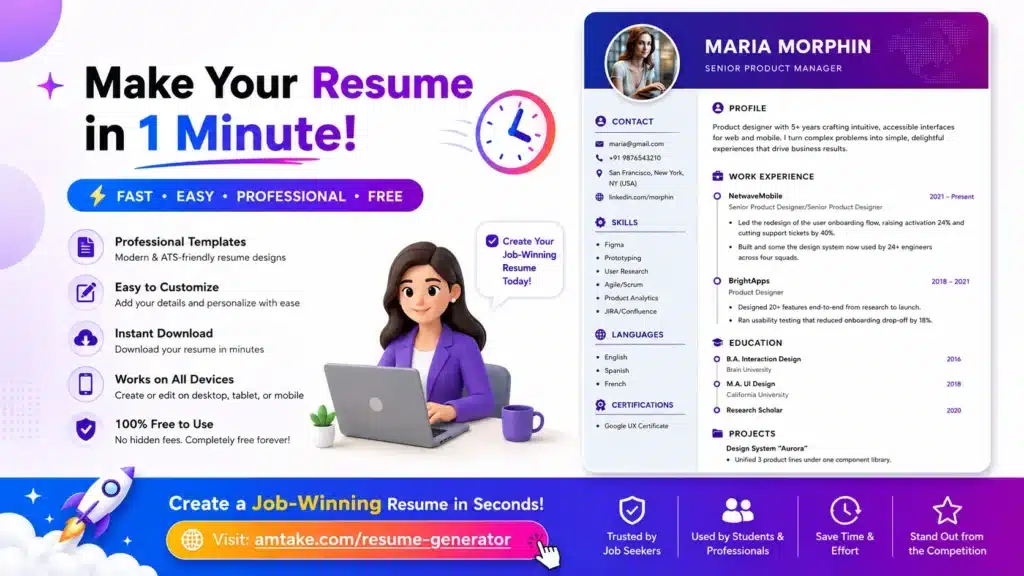
Short on time? The free AMTake Resume Builder has 20 professional templates — including an ATS-friendly layout — with a live preview, and downloads as PDF. No sign-up, no watermark, and your details never leave your browser.
1The fresher resume format: section order matters
An experienced professional leads with work history. As a fresher, you lead with what you do have — in this order:
- 1. Contact details — name, phone, professional email, city, LinkedIn/GitHub if relevant. No full postal address needed.
- 2. Career objective (2 lines max) — what role you’re targeting and the one thing you bring. Specific beats grand: “B.Tech CSE graduate seeking a backend developer role; built three Django projects including a payment-tracking app” says more than “seeking a challenging position in a growth-oriented organization.”
- 3. Education — degree, institution, year, percentage/CGPA. Most recent first. Class 10/12 scores only if they’re strong or the employer asks.
- 4. Skills — technical skills first, grouped (languages, frameworks, tools), then 3–4 genuine soft skills. Only list what you can defend in an interview.
- 5. Projects & internships — your substitute for work experience, and the section recruiters actually read. More below.
- 6. Certifications & achievements — courses with credentials, hackathons, competition ranks, scholarships.
- 7. Extras (optional) — languages known, volunteering, leadership roles in college clubs. Hobbies only if they signal something relevant.
Leave out: date of birth, father’s name, marital status, religion, full address and “references available on request.” Modern recruiters don’t expect them, and they eat space your projects need.
2No work experience? Write projects like experience
The difference between a weak and a strong fresher resume is almost always this section. Describe each project the way an employee describes a job — what you built, with what, and what it achieved:
- Weak: “Made a college project on attendance management.”
- Strong: “Built an attendance management system (Python/Flask + MySQL) used by 3 departments; reduced manual entry time by ~70%. Team of 3; I owned the database design and API.”
The pattern: what + tech stack + scale or result + your specific role. Internships, freelance gigs, college-fest organizing and open-source contributions all count — anything where you produced something real. Two or three well-described projects beat a list of eight titles.
3Formatting rules recruiters (and software) care about
| Rule | Why |
|---|---|
| One page | For freshers, always. Recruiters skim; page two of a no-experience resume never gets read. |
| One clean font | A single readable typeface at 10–12pt. Two fonts maximum (headings + body). |
| Consistent headings | Same size, weight and spacing for every section title — inconsistency reads as carelessness. |
| PDF, always | Word files reflow on other machines; PDFs look identical everywhere. Name it Firstname-Lastname-Resume.pdf. |
| Bullet points, not paragraphs | 3–5 bullets per item; start each with an action verb (built, led, analyzed, designed). |
About ATS (applicant tracking systems): larger companies run resumes through software that extracts text before a human sees them. Elaborate multi-column designs can scramble that extraction. If you’re applying to big firms or portals, use a simple single-column layout — the builder includes a dedicated ATS-friendly template — and mirror key phrases from the job description (“data analysis”, “React”, “content writing”) wherever they’re genuinely true of you.
4Build it in five minutes
- Open the builder and pick a template The Resume Builder offers 20 layouts — modern, classic, minimal and an ATS-safe option. You can switch templates any time without re-entering anything.
- Fill the sections Contact, objective, education, skills, projects, certifications and languages — the live preview updates as you type. Add a photo only if the employer expects one; set an accent color and font to match your style.
- Check the one-page fit Use the font-size control to fine-tune. If you’re overflowing, cut the weakest bullet, not the margins.
- Download the PDF One click, no watermark, no sign-up. Your data stays in your browser and is remembered locally, so updating the resume next month takes a minute — and you can generate a matching cover letter while you’re at it.
Tailor, don’t blast. Keep one master resume, then adjust the objective and reorder skills for each application. Ten tailored applications outperform a hundred identical ones — and the builder makes each variant a two-minute edit.
5Five mistakes that sink fresher resumes
- The generic objective. “Seeking a challenging role in a reputed organization” describes every applicant. Name the role and your strongest proof instead.
- Skill inflation. Listing every technology you’ve ever opened gets exposed in the first interview question. Depth over breadth.
- Typos and mixed formatting. The fastest way to signal carelessness. Proofread twice; ask one friend to read it cold.
- Same resume everywhere. Recruiters can tell. Two minutes of tailoring per application is the highest-ROI job-search work there is.
- An unprofessional email address. coolboy_rahul@ belongs in 2009. firstname.lastname@ takes one minute to create.
6Frequently Asked Questions
What is the best resume format for freshers?
A one-page, single-column resume ordered contact → objective → education → skills → projects/internships → certifications. Education and projects lead because they’re your strongest evidence; work history sections come later in your career.
Should a fresher resume be one page or two?
One page. With no work history there isn’t two pages of relevant content, and recruiters spend seconds per resume — make those seconds count on one page.
Objective or summary — which should a fresher use?
An objective (what you’re seeking + your strongest proof) suits freshers; a professional summary works better once you have experience to summarize. Keep either to two lines.
Should I put my photo on my resume?
Depends on the market: uncommon in the US/UK, expected in parts of Europe and for some Indian government and client-facing roles. The builder makes the photo optional per template — when in doubt, leave it off.
Is the AMTake Resume Builder really free?
Yes — all 20 templates, unlimited edits and PDF downloads, no watermark, no sign-up. It runs in your browser and your data is saved locally on your device, not on a server.
Can I edit my resume later?
Yes. Your entries are remembered in your browser, so you can reopen the builder, update a section or switch templates, and download a fresh PDF in a minute.