

In today’s globalized digital world, dealing with dates across different calendars, time zones, and formats is a daily reality for developers debugging timestamps, students researching historical events, and content creators scheduling international posts. Whether you’re converting Unix timestamps for code, switching between Gregorian and lunar calendars for cultural projects, or formatting dates for Excel reports, a robust online date converter like the one in AMTake Tools saves hours of manual calculation and reduces errors.
At AMTake Tools—our all-in-one platform with 100+ utilities including PDF converters, calculators, image tools, SEO analyzers, and productivity boosters—we’ve built a powerful Date Converter that handles complex conversions with precision. Supporting multiple input dates, diverse calendar systems like Hindu Lunisolar to Vedic, time zone adjustments (e.g., IST), and 10+ output formats, it’s designed for technical users who demand accuracy without the hassle.
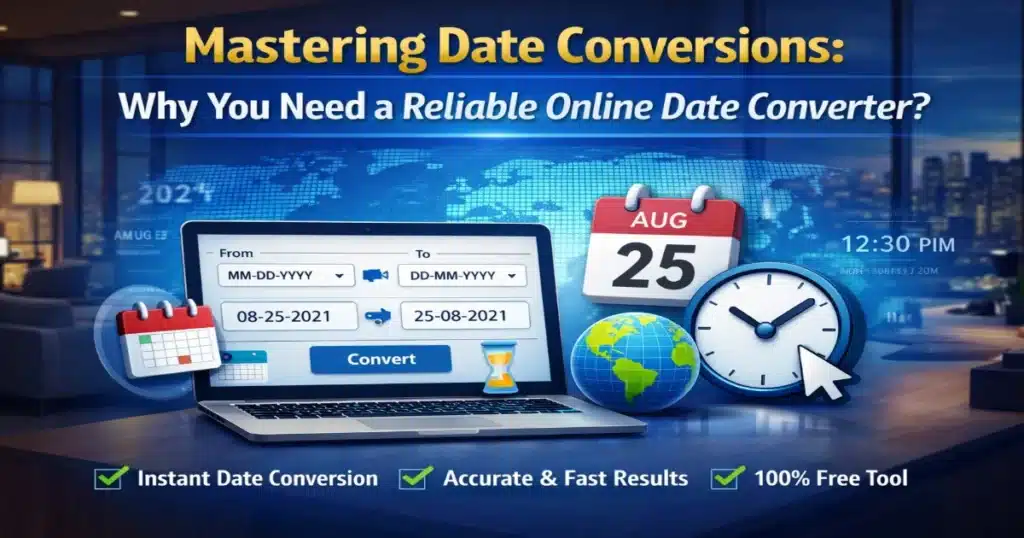
The Hidden Complexity of Date Systems
Dates aren’t universal. What works in one context fails in another, leading to bugs in software, misaligned schedules, or inaccurate data analysis. Here’s a breakdown of key calendar systems our tool supports, drawing from established standards:
- Gregorian Calendar: The global civil standard since 1582, this solar calendar has 365 days per common year and 366 in leap years (every 4 years, except century years not divisible by 400). It’s the default for most modern apps.
- Julian Calendar: Julius Caesar’s 45 BCE creation, with a simpler leap rule (every 4 years). It drifts from solar reality by about 3 days every 400 years, which is why the Gregorian reform happened.
- Islamic (Hijri) Calendar: A pure lunar system with 354-355 days per year, tied to moon sightings for religious events like Ramadan.
- Hebrew Calendar: Lunisolar hybrid with 12-13 months, aligning lunar cycles (29.5 days) with solar years through leap months—essential for Jewish observances.
Our tool extends beyond these to include Hindu Lunisolar and Vedic calendars, which are critical for users in South Asia handling traditional astrology, festivals, or historical records. Input a date in one system, select your input time zone (like IST), choose an output calendar and zone, and get results instantly.
Key Features of AMTake Tools’ Date Converter
What sets our converter apart for professionals? It’s built for batch processing and technical workflows:
- Multiple Date Inputs: Enter dates one per line—perfect for developers processing logs or students converting event lists.
- Calendar Flexibility: Switch from Hindu Lunisolar (input) to Vedic (output), or mix civil calendars like Gregorian/Julian with religious ones.
- Time Zone Handling: Specify input/output zones (e.g., IST to UTC) to avoid off-by-one errors in global projects.
- Rich Output Formats:FormatUse CaseExampleCustomTailored needsYYYY-MM-DD HH:mm:ssISO 8601APIs/standards2026-04-01T03:00:00ZDD/MM/YYYY or MM/DD/YYYYRegional docs01/04/2026 or 04/01/2026Human-ReadableReports12 Nov 2025RFC 1123Email/HTTPWed, 01 Apr 2026 03:00:00 GMTUnix TimestampProgramming1775097600Excel SerialSpreadsheets46115.125Julian DayAstronomy/science2460371.625
- One-Click Actions: Convert, Reset, or Download results as CSV/JSON for seamless integration into your workflow.
No sign-ups, no limits—just paste, convert, and export.
Real-World Use Cases for Your Workflow
Developers: Debug epoch timestamps from server logs. Convert Unix time (seconds since 1970-01-01) to readable dates, or vice versa for database inserts. Our tool mirrors pro utilities like epochconverter.com but adds cultural calendars.
Students & Researchers: Analyze historical data. Convert Julian dates for ancient Roman studies or Hebrew dates for biblical timelines without complex formulas.
Content Creators: Schedule posts across time zones. Turn “12 Nov 2025” into ISO for international teams, or Vedic formats for niche audiences in wellness/astrology content.
Imagine processing 50 timestamps from a dataset: our batch input handles it in seconds, outputting Excel-ready serial numbers.
How to Use AMTake Tools’ Date Converter
Getting started is straightforward:
- Enter Dates: Type or paste multiple dates (one per line) in the input field.
- Set Input Options: Choose calendar (e.g., Hindu Lunisolar) and time zone (e.g., IST).
- Configure Output: Select target calendar (e.g., Vedic), time zone, and format (e.g., Unix Timestamp).
- Convert & Export: Hit “Convert Dates” for instant results. Use “Download” for files or “Reset” to start over.
Results appear in a clean table, ready to copy or save.
Why Choose AMTake Tools Over Basic Converters?
Many free tools handle simple Unix-to-date (like jam.dev or epochconverter.com), but they lack multi-calendar support or batch processing. Our converter stands out with:
- Cultural Depth: Vedic/Hindu support for non-Western users.
- Developer-Friendly Outputs: Direct Excel/Julian integration.
- Part of 100+ Tools: Seamlessly chain with our timestamp calculators or CSV processors.
It’s free, ad-light, and optimized for speed—no JavaScript dependencies or browser quirks.
Common Pitfalls and Pro Tips
- Leap Year Traps: Gregorian skips some Julian leaps—always verify outputs.
- Time Zone Offsets: UTC vs. local can shift dates; double-check zones.
- Pro Tip: For code, pair with our Unix Timestamp tool. Python devs: Use
time.ctime(your_timestamp)after conversion.
Ready to streamline your date handling? Head to the AMTake Tools Date Converter and try it now. Got feedback or need custom features? Drop us a line—we’re always iterating based on user needs like yours.
This post is part of our series spotlighting AMTake Tools’ utilities. Next up: Advanced PDF merging for creators.